Codex
Codex Claude Code
Made-up creators
A model without live data invents plausible handles. You only find out when the profile doesn’t exist or the email bounces.
MCP server
The UGC Agent MCP server puts creator search, analysis and brand research inside the AI tools you already use. Ask in plain English and get real creators with public emails back in the chat.
MCP is included on Premium and above.
Find 15 skincare creators in the UK, 5K to 100K followers, with public emails.
UGC Agentrun_ugc_agent
Here are the top matches. All 15 have a public email.
 Maya OkaforSkincare · 18.4KDirect94 fit
 Priya NairBeauty · 42.1KDirect88 fit
Works withClaudeChatGPTCursorCodexClaude Code
claude mcp add --transport http ugcagent 'https://mcp.ugcagent.app/mcp?uid=<your-uid>'The UGC Agent MCP server connects UGC creator search, creator content analysis and brand research to Claude, ChatGPT, Claude Code, Cursor, Codex and other MCP clients. You ask in plain English inside your AI tool and get real Instagram and TikTok creators with public emails back in the chat. MCP access is included on Premium ($59/month) and above.
Last updated
io.github.VicPitic/ugc-agenthttps://mcp.ugcagent.app/mcpWhy connect it
Ask a general chatbot for UGC creators and you get guessed handles, dead links and no emails. So the research happens in one tab, the sourcing in another, and you copy everything between them.
A model without live data invents plausible handles. You only find out when the profile doesn’t exist or the email bounces.
The brief lives in your AI chat, the creators live in a spreadsheet, and you are the integration between them.
Your team already works in Claude, ChatGPT or an IDE. Every extra tool is a context switch.
What you can ask
Describe the creator you need. UGC Agent searches Instagram and TikTok live, checks each profile against the brief and returns creators with public emails.
Point it at a creator and get a read on their recent content: formats, hooks and what tends to perform.
Ask who has posted videos for a brand and get the creators behind its UGC, with links to the posts as proof.
Setup
MCP is included on Premium and above. Members of a Premium team get access through the team owner.
Claude Code, Codex and OpenClaw take one command. ChatGPT, Claude and other clients take the URL, and Cursor and Hermes take a short config.
Restart the client or run its MCP check, confirm ugcagent is listed, and ask for creators in plain English. In UGC Agent, “Use in your LLM” shows the setup for your account.
claude mcp add --transport http ugcagent 'https://mcp.ugcagent.app/mcp?uid=<your-uid>'codex mcp add ugcagent --url 'https://mcp.ugcagent.app/mcp?uid=<your-uid>'https://mcp.ugcagent.app/mcp?uid=<your-uid>OpenAI documents full MCP apps on ChatGPT web for Business, Enterprise and Edu workspaces, and read or fetch-only MCP access for Pro. Menu names change, so check OpenAI’s developer mode article if a step differs.
ChatGPT connectors helphttps://mcp.ugcagent.app/mcp?uid=<your-uid>Custom connectors work on claude.ai, Claude Desktop and Cowork, on Free, Pro, Max, Team and Enterprise plans. The Free plan allows one custom connector.
Claude connector docs{
"mcpServers": {
"ugcagent": {
"url": "https://mcp.ugcagent.app/mcp?uid=<your-uid>"
}
}
}mcp_servers:
ugcagent:
url: "https://mcp.ugcagent.app/mcp?uid=<your-uid>"openclaw mcp add ugcagent --url 'https://mcp.ugcagent.app/mcp?uid=<your-uid>' --transport streamable-httphttps://mcp.ugcagent.app/mcp?uid=<your-uid>Confirm your client supports Streamable HTTP before you rely on a setup example.
Treat your connection like a password. Keep it out of screenshots, repositories and shared prompts.
Inside one request
A single message can run the whole sourcing turn. Your AI client shows each tool call as it happens.
Start freeState the product, the creator you want, the platform, the region, any evidence you require and any exclusions. The more operational the brief, the better the first pass.
It researches the product if needed, turns the goal into search angles, discovers Instagram and TikTok candidates, then enriches and scores each public profile against your brief.
The qualified creators come back to the chat with their fit, followers and contact, plus a link to open the same list in UGC Agent for table review and CSV export.
Ask for more, refine the list, remove leads, analyze a creator or draft outreach. Reusing the returned list keeps follow-ups on the same list instead of starting a new one.
Review in the web app
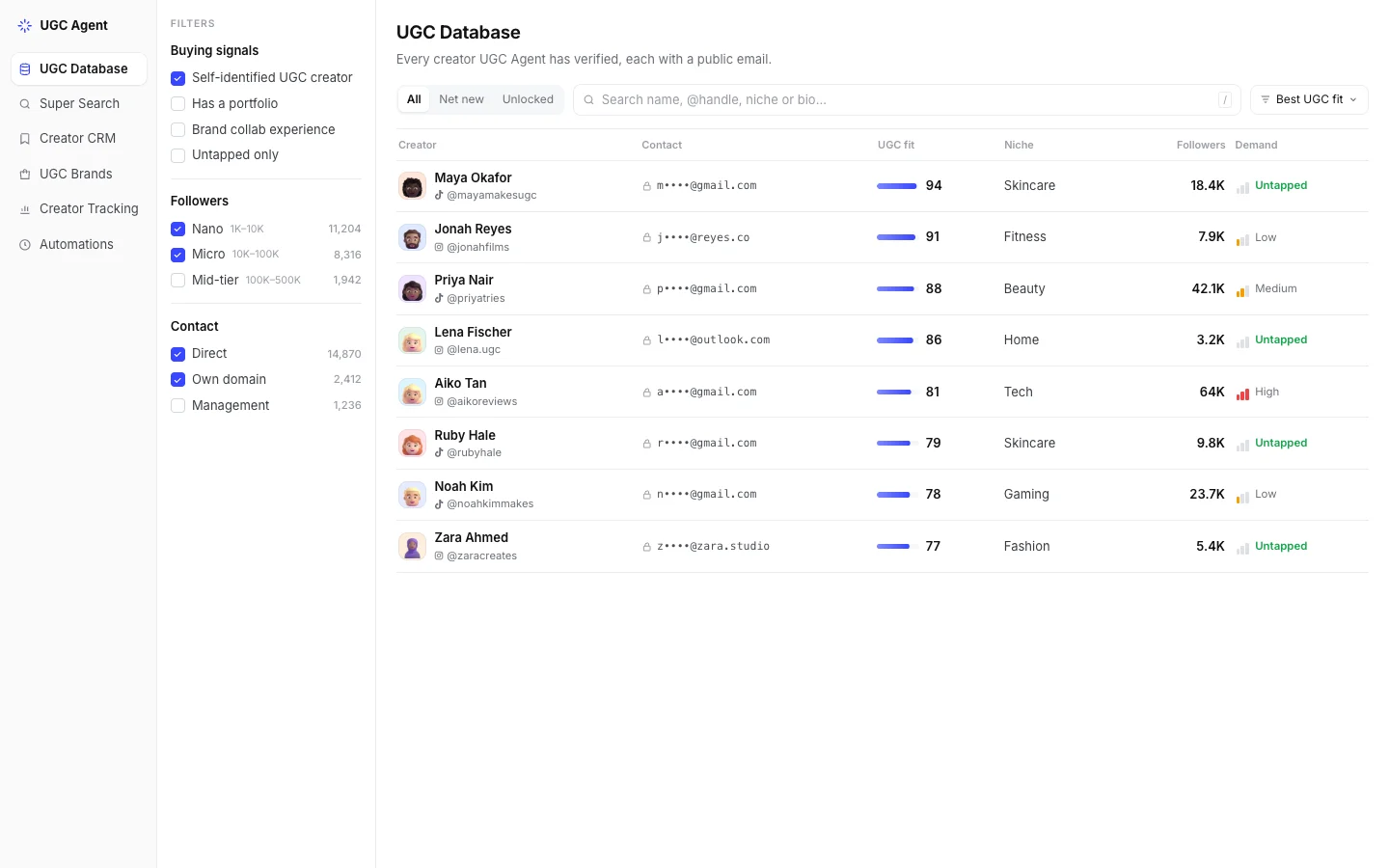
Every list the MCP builds also lives in UGC Agent. Open it from the link in the chat when a table is easier to read than a long message.
Maya Okafor@mayamakesugcSkincare18.4K94Priya Nair@priyatriesBeauty42.1K88 Ruby Hale@rubyhaleSkincare9.8K79
 Zara Ahmed@zaracreatesFashion5.4K77
 Lena Fischer@lena.ugcHome3.2K86
 Sam Carter@samcooks.ugcFood12.6K83
ChatGPTvia UGC Agent
Your list is saved. Open it to filter, review and export.
UK skincare creators15 creators · app.ugcagent.appSame agent, same settings
MCP calls run the same server-side sourcing as the web app, signed in as you. Nothing about your standards resets because you switched tools.
Claude Code~/campaigns/lumen-skin
›Find 15 UK skincare creators for the spring launch. Skip anyone we already have.
ugcagent · get_agent_contextPreferences loaded · 3 exclusions
ugcagent · run_ugc_agentUK skincare, 5K to 100K, public email
ugcagent · get_run_status15 of 15 creators, 6 already known skipped
ugcagent · export_csvuk-skincare-creators.csv
Agent Preferences
This run only: UK
What the MCP exposes
You don’t need to name tools. Ask in plain English and the client calls them for you. Available tools follow your plan and the server configuration.
Run a full sourcing turn, or call discovery and scoring step by step.
run_ugc_agentget_run_statusstop_rundiscover_creatorsenrich_and_scoreanalyze_seed_creatorsfind_brand_creatorsReview, trim and export the creators you kept, then draft the first message.
list_leadsremove_leadsexport_csvdraft_creator_outreachlist_chatsrename_chatCompany context, trends, creator content analysis, ideas and script drafts.
research_companyfind_viral_trendsanalyze_creator_contentideate_ugc_contentdraft_ugc_scriptSet up and manage Leads and Trends automations without opening the app.
create_lead_automationcreate_trend_research_automationlist_automationsupdate_automationpause_automationresume_automationrun_automation_nowdelete_automationBuilding your own app instead? The Developer API covers creator searches, leads, lists, automations and webhooks on Ultra. For outreach tools, see integrations, or try a free creator tool first.
Before and after
AI chat on its own
With the UGC Agent MCP
Who it’s for
Already planning campaigns with an AI assistant every day.
Working from the terminal or IDE.
Sourcing for several clients from one Premium workspace.
Security and access
The MCP is a hosted, remote server. Your AI client sends the request; all the sourcing work and every key it needs stay with UGC Agent.
What it doesn’t do
The connection is linked to the signed-in user and only works for Premium accounts and their team members. Treat it like a password: keep it out of screenshots, repositories, docs and shared prompts.
API keys for Instagram, TikTok, Gemini, Firebase Admin and Stripe stay on UGC Agent’s servers and are never sent to your LLM client.
Every call goes through the same plan checks, lead pool and saved preferences as the web app. If your access changes, set it up again from UGC Agent instead of copying another user’s connection.
Clients like ChatGPT may ask you to confirm actions that save or change data, and your team still makes every outreach and hiring decision.
Premium includes the MCP server, 5,000 creator leads a month shared across chat, automations and MCP, and 5 seats. The developer API starts on Ultra. Compare plans
Yes, on UGC Agent Premium and above. Add the UGC Agent MCP URL as a custom app in ChatGPT developer mode. OpenAI documents full MCP apps on ChatGPT web for Business, Enterprise and Edu workspaces, and read or fetch-only MCP access for Pro.
Yes, on Premium and above. In Claude, add it as a custom connector under Customize → Connectors; the Free Claude plan allows one custom connector, and on Team and Enterprise an owner adds it for the organization first. In Claude Code, run claude mcp add --transport http ugcagent followed by the URL.
Premium and above. Premium includes MCP access and 5,000 new creator leads a month, shared across searches, automations and MCP. Team members inherit access from a Premium team owner. Developer API access starts on Ultra.
A full sourcing turn: describe the product and the creator you need, and UGC Agent discovers Instagram and TikTok profiles, enriches and scores them, saves them to a list and returns a link for table review and CSV export. You can also analyze a creator’s content, find creators who posted for a brand, research trends, draft scripts and outreach, and manage automations.
No. It is tied to your account. Treat it like a password and keep it out of screenshots, repositories, documentation and shared prompts. The keys UGC Agent uses for Instagram, TikTok and its models stay on our servers.
The MCP is for people working inside an AI client: you ask in plain English and the client calls UGC Agent’s tools. The developer API is for engineers building their own app or workflow on documented endpoints, and starts on Ultra. Neither exposes the UGC Database, Brands or Tracking tabs.
No. It returns evidence and a first-pass fit score. Your team decides who to contact and handles outreach, terms and payment.
Connect UGC Agent to Claude, ChatGPT, Cursor or Codex and get real creators with public emails without leaving the chat. MCP is included on Premium and above.