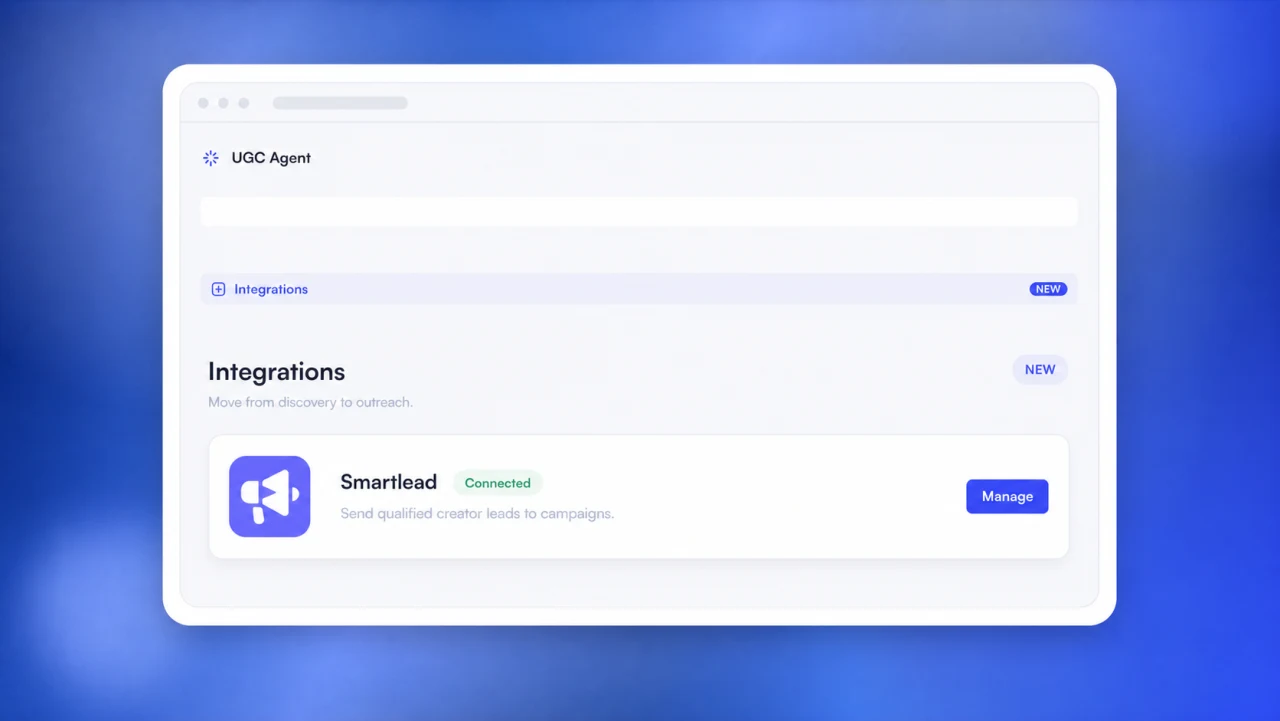
The UGC Agent Smartlead integration sends selected creator leads with available emails from a live search or Saved Leads into an active, paused, or draft Smartlead campaign. UGC Agent imports new records in batches, skips duplicates, and reports what was added or rejected. The API key is encrypted. Campaign activity and reply tracking were not included in the August 26 launch.
A Smartlead creator outreach integration should connect the end of sourcing with the start of outreach. Before this release, marketers exported creator leads from UGC Agent, opened Smartlead, selected a campaign, uploaded the file, and checked the import. The list was already reviewed and the emails were already present. The CSV added motion, not judgment.
UGC Agent removed that file on August 26, 2026. Select qualified creators from a live result or Saved Leads, choose an active, paused, or draft Smartlead campaign, and send the reachable records directly. The original announcement introduced the product update. This guide documents the handoff, duplicate behavior, security context, and current limits.
What does the UGC Agent Smartlead integration do?
The integration connects a Smartlead workspace to UGC Agent, lists available campaigns, and sends selected creator leads with emails into the campaign the user chooses. It keeps the import result visible and removes the need to export and upload a CSV.
The user starts with creators already sourced in UGC Agent. Records can come from a live search or Saved Leads. Only the selected, unlocked creators with an email are eligible for the email campaign handoff.
The destination can be an active, paused, or draft Smartlead campaign. Choosing the campaign is explicit, which reduces the risk of sending a good list into the wrong sequence.
After the import, UGC Agent shows which leads were added, already present, or not imported. That result belongs in the campaign record, not in a transient success message.
Why the CSV handoff was unnecessary
CSV export still has valid uses: custom analysis, archive, a different outreach tool, or a manual workflow with special fields. It should not be the default bridge when a direct API can carry the same structured records.
Every manual handoff creates room for an outdated file, duplicate lead, missing column, mapping error, wrong campaign, or unclear import result. A direct connection reduces those failure points without deciding who belongs in outreach.
The creator screening checklist still comes first. The integration should receive qualified records, not turn every discovered profile into an automatic send.
How to connect Smartlead and send creators
Connect the Smartlead workspace once with an API key, select creators from a live search or Saved Leads, choose the destination campaign, and confirm the send. UGC Agent imports eligible records and returns a categorized result.
Choose a live search or Saved Leads
Use a live result when the campaign begins immediately. Use Saved Leads when the team has already reviewed, organized, or approved the records over several sessions.
Select an active, paused, or draft campaign
The integration browses campaigns from the connected workspace. Confirm the campaign name and status before importing. A paused or draft campaign can support a staged review before sending begins.
Review added, duplicate, and rejected leads
Smartlead's official add-leads API supports batch imports, duplicate controls, block-list checks, and categorized results. UGC Agent reflects the operational outcome so skipped records are not mistaken for successful imports.
How duplicate and batch handling work
UGC Agent sends new records in batches and skips a creator when the email already exists in the selected campaign. Smartlead's API supports up to 400 leads per import request and exposes controls for duplicates and block lists.
Batching keeps larger creator lists within the outreach provider's import contract and makes failures easier to identify. A partial result should show which records need another review instead of forcing the user to guess.
Smartlead's duplicate-lead guidance explains how its campaign controls can prevent repeat additions. The UGC Agent handoff also skips records already in the selected campaign.
Campaign duplicates are only one layer. Maintain do-not-contact, unsubscribed, bounced, declined, and blocked statuses across the broader workspace so a creator is not reintroduced through another campaign.
How the Smartlead API key is used
Smartlead authenticates API requests with an API key. Its official API documentation explains that the key is attached to requests for campaign and lead operations.
UGC Agent encrypts the connected key and uses it for campaign browsing and lead imports. Replace or disconnect the key when access should end, ownership changes, or the credential may have been exposed.
Third-party APIs and product permissions can change. Review the connected workspace, key handling, and provider documentation again before relying on the integration for a production campaign.
What is not included yet
At the August 26 launch, the integration covered campaign browsing and lead imports. Smartlead campaign activity and reply tracking were not included. The team still owned message content, activation, sender setup, suppression, compliance, replies, and creator operations.
The integration moves data. It does not decide whether the creator fits, write a binding offer, negotiate compensation, manage usage rights, or run the UGC production workflow.
Use the creator outreach guide to structure the opportunity and the outreach email generator for a first draft. Review all copy, claims, links, and sending settings before launch.
Campaign and reply tracking may appear in a later release. Use the current app and changelog for the latest product behavior rather than treating this dated announcement as a permanent feature matrix.
Run a preflight before sending creators to Smartlead
Before importing, confirm the creator review, contact source, workspace suppression, destination campaign, API-key owner, campaign status, message variables, and send configuration. The direct handoff should remove re-entry, not remove control.
Inspect the selected records and their evidence. Check that profiles still match the campaign and that the email belongs to the creator or an appropriate representative. Hold uncertain agency, manager, business, or catch-all addresses for manual review.
Check do-not-contact conditions across the workspace. Smartlead can prevent duplicates and apply block-list rules, but the team still needs a durable record for unsubscribe, prior decline, conflict, bounce, legal restriction, and active negotiation.
Open the destination campaign and verify the name, client, status, sequence, sending accounts, schedule, variables, links, and opt-out handling. Draft and paused campaigns provide a useful review point when the import should happen before activation.
Confirm who owns the API key and why it exists. Record the connection date, credential owner, expected rotation, and disconnect process. Do not reuse a broad production key when a dedicated connection can make ownership and incident response clearer.
Start with a small batch for a new campaign. Verify that names, emails, and any supported fields appear as expected. Check which records Smartlead added, skipped, or rejected before importing the remaining selection.
Preserve the import result. Record the selected count, batch count, added leads, campaign duplicates, other skipped records, failures, operator, and timestamp. When a batch fails, resolve the cause before retrying instead of sending the whole selection again.
Keep campaign activation separate from lead import. A lead can be ready while the message, sender, schedule, or client approval is not. The safest direct workflow ends with reviewed records in the correct campaign and a clear human decision about when outreach starts.
Give failed records an explicit destination. Missing emails, duplicates, blocked contacts, and invalid fields should enter a review queue with a reason, not disappear from the count or get retried indefinitely. This makes the handoff auditable and prevents uncertain records from resurfacing in a later campaign.
Keep the campaign identifier and source-list reference in the operating log. When a creator replies, declines, or unsubscribes, the team should be able to trace the contact back to the brief and selection evidence. That context improves reply handling and helps future searches exclude contacts that should not be approached again.
Conclusion
The Smartlead creator outreach integration removes a handoff that did not need a file. Connect the workspace, select reviewed creator leads, choose the campaign, import once, and inspect what happened. Keep duplicate and suppression controls active, protect the API key, and leave campaign judgment with the operator. CSV export remains available when another workflow needs it. Start free to source the list, then connect Smartlead when the records are ready for outreach.
Frequently asked questions
What does the UGC Agent Smartlead integration send?
It sends selected, unlocked creator records with available emails from a live search or Saved Leads into the Smartlead campaign chosen by the user.
Which Smartlead campaign statuses can receive leads?
At launch, users could choose active, paused, or draft campaigns from the connected Smartlead workspace.
How are duplicate leads handled?
UGC Agent skips creators already present in the selected campaign. Smartlead also provides duplicate and block-list controls through its lead import API.
Is the Smartlead API key stored securely?
UGC Agent encrypts the connected key and uses it for campaign browsing and lead imports. Users can replace or disconnect the key when access should change.
Does the integration track Smartlead replies?
Reply and campaign activity tracking were not included in the August 26 launch. The initial integration focused on campaign browsing and lead imports.