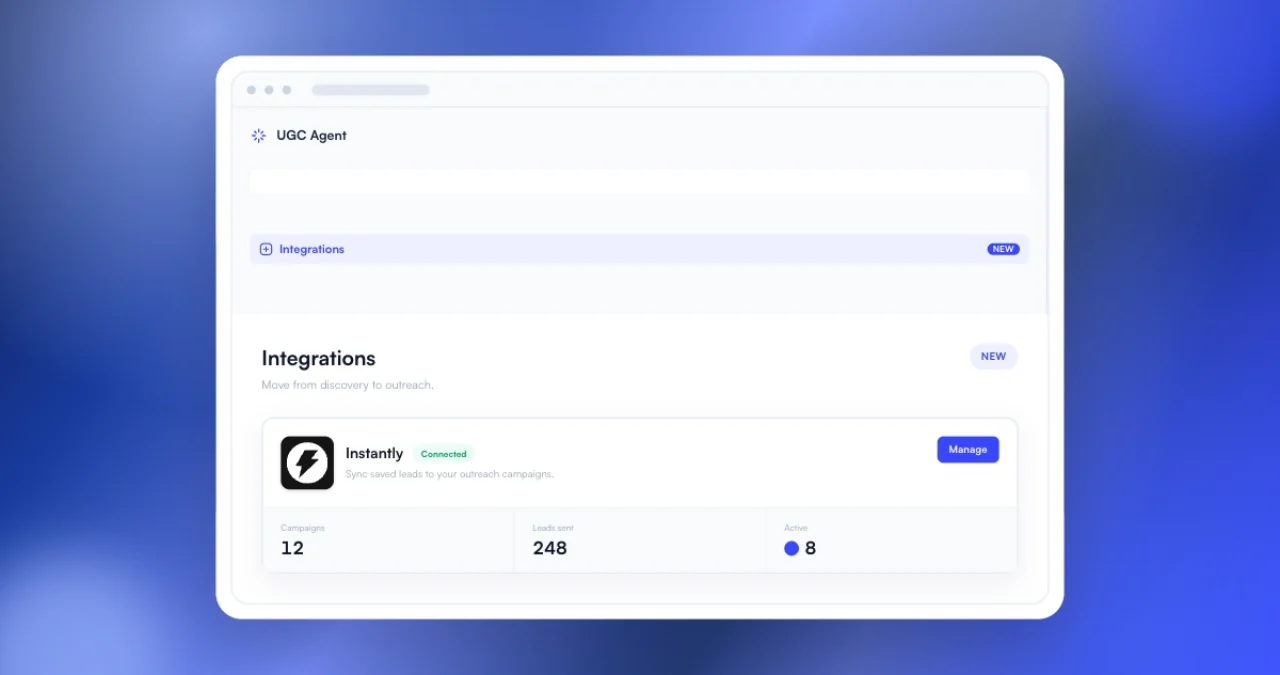
The UGC Agent Instantly integration sends selected creator leads from a live search or Saved Leads into an Instantly campaign. Connect a scoped API key, choose the creators and campaign, then review which leads were added or skipped. Instantly supports campaign-level lead creation and duplicate controls. UGC Agent keeps CSV export available, but the file is no longer required for this handoff.
An Instantly creator outreach integration should remove duplicate admin without removing the review step. Before this release, a marketer could finish sourcing in UGC Agent, export a CSV, open Instantly, upload the same file, map the data, and then inspect what imported. The creator and email were already selected. The file existed only to move them between tools.
UGC Agent removed that handoff on August 17, 2026. The integration connects to an Instantly workspace with a scoped API key and sends selected, reachable creator leads into a chosen campaign. The original product announcement introduced the workflow. This guide documents what moves, what gets skipped, and what the connection does not do.
What does the UGC Agent Instantly integration do?
The integration lets a UGC Agent user select qualified creators, choose an Instantly campaign, and add creator leads with available emails directly. UGC Agent reports the upload result and skips duplicates instead of requiring a CSV export and re-upload.
The handoff begins after sourcing and review. You can select creators from a live result or Saved Leads, then choose the Instantly campaign that should receive them.
UGC Agent sends only selected creators with an available email. A creator without a usable email cannot be added as an email lead, and an unlocked record is not the same as permission to contact without review.
After the send, the interface reports what uploaded and what was skipped. That feedback keeps the operator in context instead of hiding the result behind a background job.
The CSV handoff it removes
CSV export remains useful for archiving, custom review, another tool, or a workflow that needs a file. It should not be mandatory when both systems already support a direct, structured handoff.
Removing the file reduces several avoidable errors: uploading an old export, selecting the wrong campaign, losing fields during mapping, adding a duplicate, or assuming every row imported because the upload finished.
The direct integration does not mean every sourced creator should enter outreach. Apply the creator screening checklist first, then select only the records that match the live brief.
How to connect and send creator leads
Create an Instantly API key with the required limited scopes, connect it once in UGC Agent, select reviewed creators, choose the destination campaign, and send. The integration reports created and skipped records after the request completes.
Connect a scoped API key
The launch workflow used a key with campaigns:read and leads:create. Instantly's official create-lead documentation confirms that lead creation can use the leads:create scope. Use the smallest set of permissions required for the connection.
Select creators and a campaign
Choose qualified records from a live search or Saved Leads, then pick the Instantly campaign. Review the selection before sending. A campaign destination is an operational action, not a formatting step.
Review uploaded and skipped leads
The result separates added records from skipped ones. Keep that result with the campaign log so another operator can see which creators entered outreach and which still need attention.
How duplicate handling works
If Instantly already has a selected creator in the campaign, UGC Agent skips the duplicate instead of adding the same email twice. Instantly's lead API also exposes explicit skip controls for workspace, campaign, and list duplicates.
Duplicate prevention protects more than data cleanliness. Adding the same creator twice can restart outreach, create conflicting statuses, or make two teammates believe they own the conversation.
Instantly's official API accepts flags such as skip_if_in_campaign and skip_if_in_workspace. The integration's product behavior is intentionally conservative at the campaign handoff.
Do not use duplicate checks as a substitute for a suppression list. A creator who declined, opted out, bounced, or should not be contacted again needs an explicit status outside a single campaign.
What API access the integration uses
Instantly API v2 supports granular key permissions. Its official API v2 announcement describes resource-level scopes for keys.
UGC Agent encrypts the connected key and does not display it again inside the product. Replace or disconnect the key when workspace ownership changes, access should end, or the key may have been exposed.
Review both products' current security and access settings before connecting a production sending workspace. Product behavior and third-party APIs can change after this article's review date.
What the integration does not replace
The integration does not decide who should receive outreach, write the commercial agreement, confirm creator availability, set compensation, manage usage rights, or guarantee delivery or reply. It moves approved lead data into the campaign your team selected.
Use the creator outreach process to define the paid opportunity and the outreach email generator for a concise first draft. Review every message before sending.
Email compliance, sender setup, account health, suppression, opt-outs, and campaign configuration remain the responsibility of the sending team. A direct integration reduces file handling. It does not remove those controls.
The best handoff is boring: reviewed creators go to the correct campaign once, skipped records are visible, and the next operator knows what to do.
Run a preflight before sending creators to Instantly
Before importing, confirm the creator selection, contact source, suppression status, destination campaign, API permissions, sender configuration, message variables, and campaign state. A direct integration makes the handoff faster, so the preflight needs to remain explicit.
Review the selected creator count and sample several records. Confirm that every profile still matches the brief and that each email belongs to the creator or an appropriate representative. Remove catch-all, unrelated business, or uncertain contacts until a person resolves them.
Check suppression outside the destination campaign. A lead can be absent from one campaign and still be unsubscribed, previously declined, bounced, blocked, or actively communicating in another workflow. Campaign-level duplicate handling is not a complete contact policy.
Open the Instantly campaign before import. Verify the workspace, campaign name, status, senders, schedule, sequence, personalization variables, links, and opt-out behavior. A correct creator in the wrong campaign is still an operating error.
Confirm the API key scope and owner. The key should grant only the access the integration needs. Record who created it, when it should be rotated, and what happens when that person leaves the workspace. Disconnect credentials that no longer have a clear owner.
Send a small first batch when the campaign or mapping is new. Inspect the created records inside Instantly, confirm that names and fields landed correctly, and check the skip result. Increase the batch only after the destination looks right.
Save the import summary with the campaign. Record the selected count, added count, skipped count, rejected records, timestamp, and operator. Resolve failures before repeating the send so a partial retry does not create a second set of problems.
Activation is a separate decision. Adding leads to a draft or paused campaign creates a review window. Use it when message approval, sender health, schedule, or client sign-off still needs confirmation. The fastest safe integration is the one that removes data entry while keeping a visible pause before irreversible outreach.
Assign an owner for exceptions before the full transfer. Someone needs to resolve missing emails, duplicates, blocked contacts, malformed variables, and records rejected by the destination. Keep those exceptions out of the active send until reviewed. This prevents a convenient bulk action from turning uncertain data into live outreach.
Once sending begins, monitor delivery and replies in Instantly while keeping creator-fit decisions in the sourcing record. The tools serve different jobs. Linking the destination campaign to the original list gives later reporting enough context to explain why each creator was contacted.
Conclusion
The Instantly creator outreach integration closes the gap between a reviewed creator list and a configured campaign. Connect a limited-scope key, select the creators, choose the campaign, send once, and inspect the result. Keep CSV export for workflows that need a file, not as a tax on every handoff. Keep human review, suppression, commercial scope, and sending controls in place. Start free to build the list, then connect Instantly when it is ready for outreach.
Frequently asked questions
What does the UGC Agent Instantly integration send?
It sends selected, unlocked creator records that have an available email into the Instantly campaign chosen by the user. The result reports what was added or skipped.
Do I still need to export a CSV?
No. CSV export remains available, but it is not required for the direct Instantly handoff.
What Instantly API scopes are required?
The launch workflow used campaigns:read to browse campaigns and leads:create to add leads. Users should grant only the permissions the current connection requires.
What happens when a creator already exists in the campaign?
The duplicate is skipped instead of being added again. Teams should also maintain broader suppression and do-not-contact records outside a single campaign.
Does the integration send outreach automatically?
It adds selected leads to the chosen Instantly campaign. Campaign activation, message content, sender configuration, compliance, and outreach operations remain with the user.